
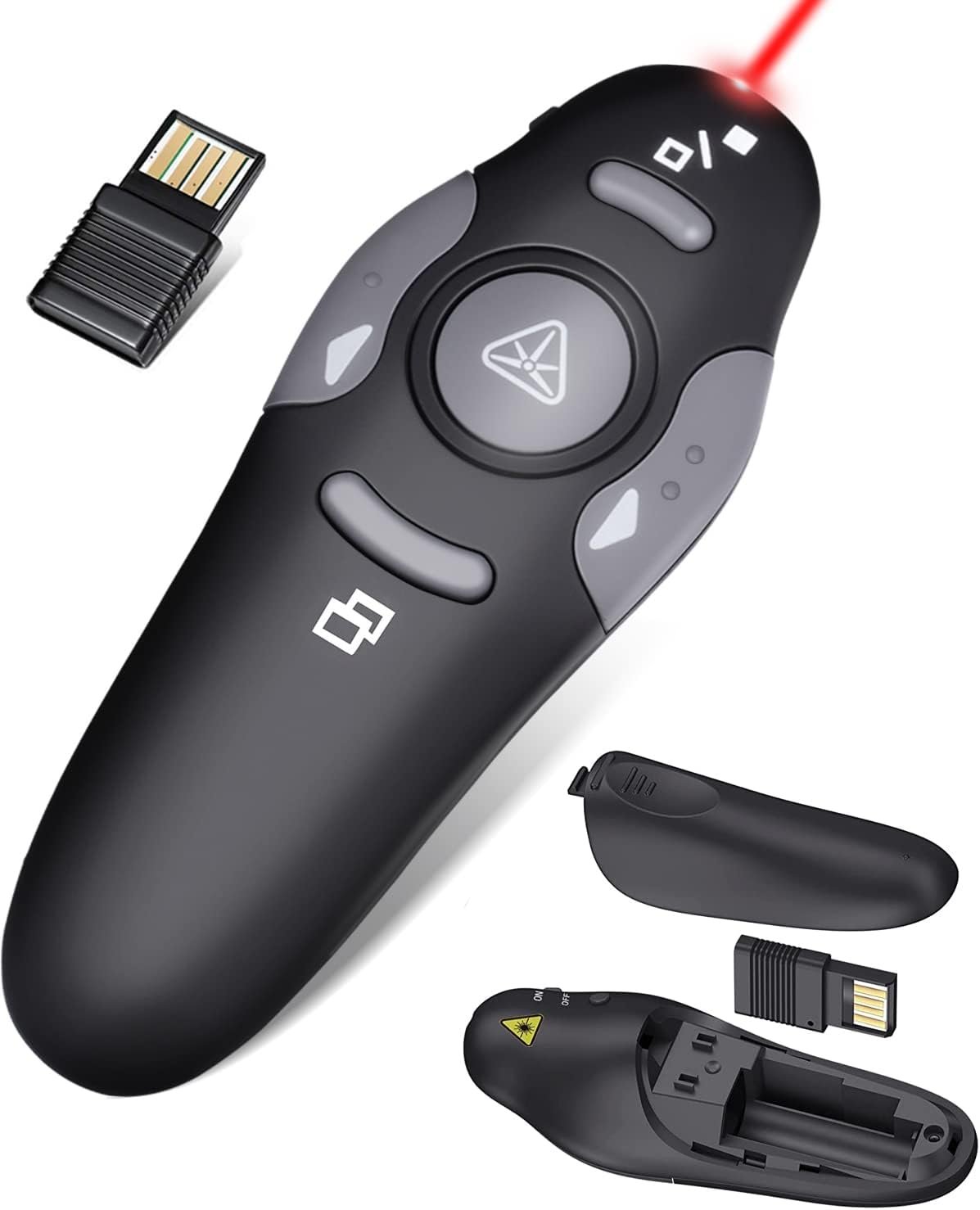
Wireless Presentation Clicker for PowerPoint Presentations, USB Dongle Presenter Remote with Laser Pointer Slide Clickers for Mac/Windows/Linux, Computer/Laptop, Google Slide/PPT/Keynote
$14.99
Related Products





Product description
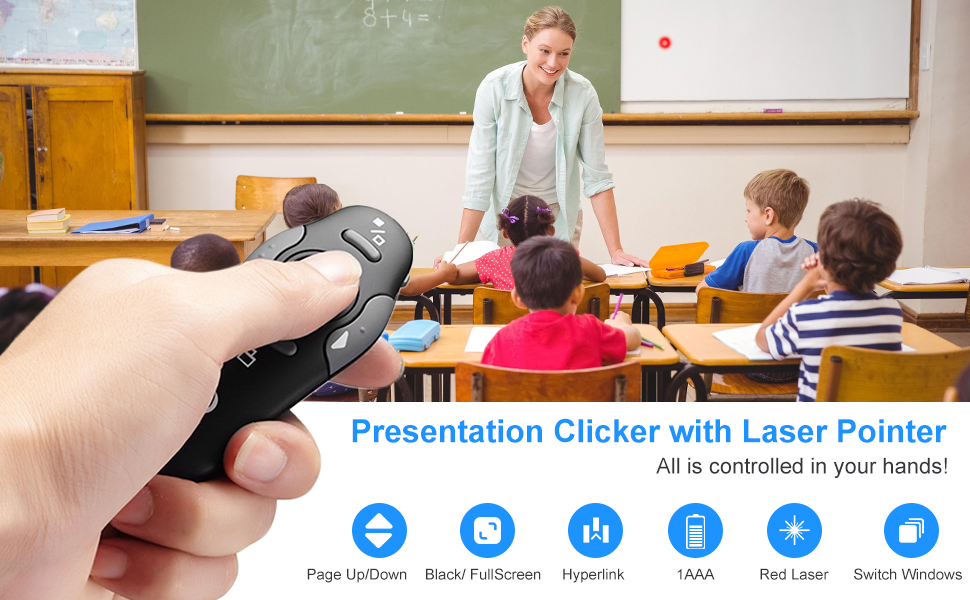



【Amazing Ergonomic】Wireless presentation clicker for PowerPoint presentations has a cool ergonomic design that makes you more comfortable when you use it to switch PPT, Keynote or Google Slides. The dark gray buttons and black body convey the designer’s philosophy of simplicity. CLIKBUTM PPT clicker can used in different occasions such as teaching, office, conference, speech, etc.
【Compact Design】The USB dongle is stored in the slot inside the battery compartment of the remote powerpoint clicker with laser pointer. Easy to carry, remote presentation pointer’s size: 109mm, Weight:38g (Battery included). Wireless presenter remote with laser pointer fits easily in your pocket or bag.
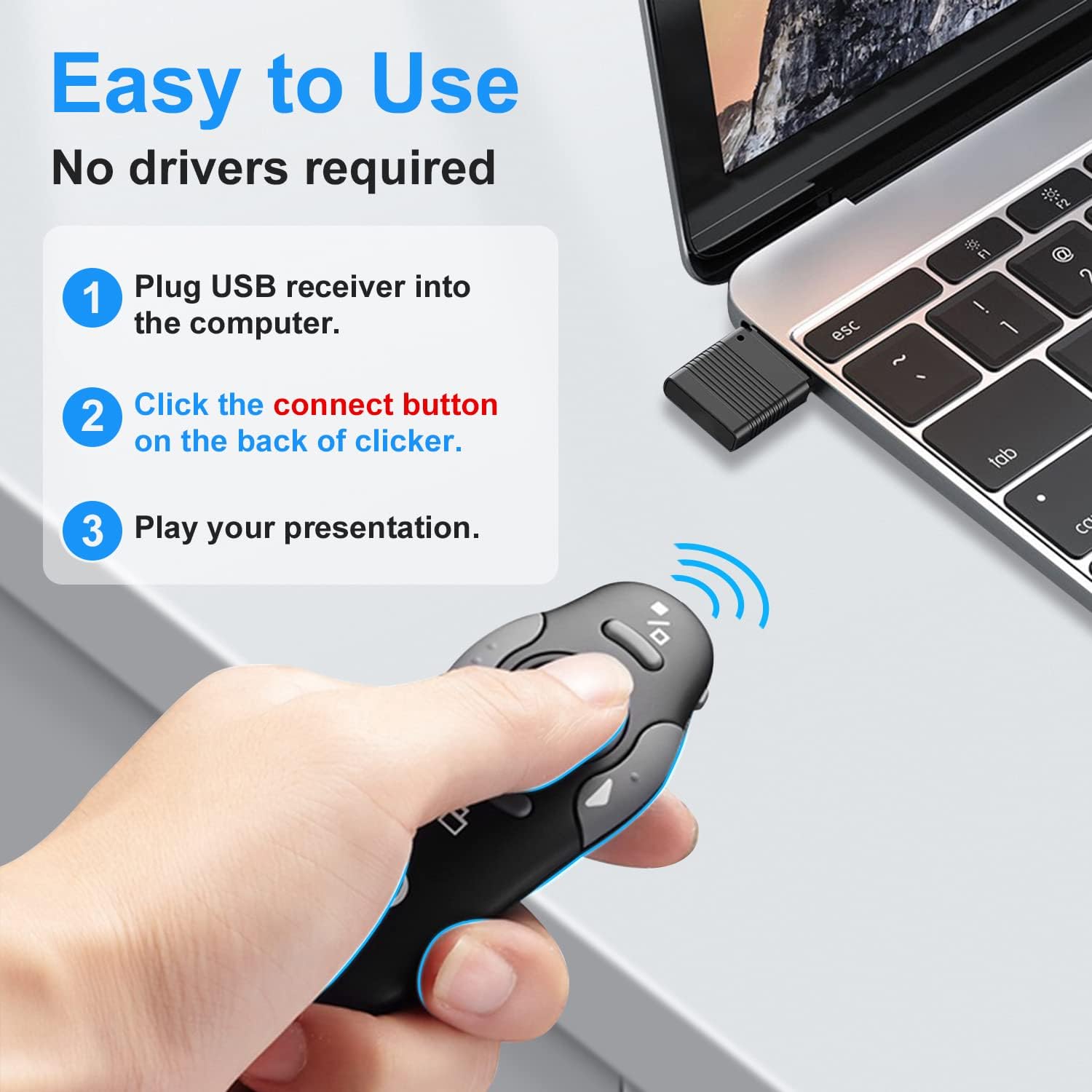
【How to Use】No drivers required. Just plug into the USB dongle, press the connect button on the back of the presentation remote, then start clicking. Supports systems: Windows 2003, XP, Vista, 7, 8, 10, Mac OS, Linux; supports softwares: Keynote, Google Slides, MS Word, Excel, PowerPoint, Website, PDF.
【Just Need 1 AAA Battery】No special button cell battery. Just one AAA Battery you can switch your PPT in classroom or office. One AAA battery can last about two months. Tip: you need to remove the film of the battery when start using power point remote clicker with laser out of the box.
【100FT Control Distance 】Slide clicker with laser pointer for presentations control distance: 98FT/30M, laser pointer light range: 328FT/100M. You can say goodbye to boring typical teacher pointers for classroom.We have the coolest computer clicker for presentations control that will rock your presentations and ensure your crowd is always engaged!
7 reviews for Wireless Presentation Clicker for PowerPoint Presentations, USB Dongle Presenter Remote with Laser Pointer Slide Clickers for Mac/Windows/Linux, Computer/Laptop, Google Slide/PPT/Keynote
Add a review

$14.99
Grey –
Elegant, functional and basically perfect
I purchased the metal green laser model.It kind of depends on what you’re looking for in a wireless presenter. If you want remote mouse control or anything beyond just the basics of advancing slides and using a laser pointer, then this product is not for you. But if you are in the demographic that is just looking for a basic tool to advance slides, here’s why I think this might just be the best option out there (with one caveat). I will add for context that I am a teacher who has probably spent thousands of hours with a clicker in my hand as I move around the classroom so I would imagine that I speak with some experience:1. Connectivity. This is probably the most important factor in my mind. Many modern laptops have ditched the USB-A format in favor of exclusively USB-C (especially Apple laptops). And yet the wireless clicker industry has refused to catch up as much as you would hope. Many results on Amazon will still show you presenters with USB-A receivers. This means that if you have a USB-C style laptop the receiver will need an adapter, and unless you’re willing to constantly pop the adapter off when you’re done presenting (and potentially lose the little tiny adapter), then you’re not going to be able to store the receiver inside the presenter unit itself. This presenter comes with a receiver that has both USB-A and C and still stores inside the unit, so problem solved. The only other reasonable alternative would be to get a presenter that connects via Bluetooth, but I promise you that you don’t want to do that. When you need to present (especially as a teacher), you want your presenter to be a quick plug and play. You don’t want to have to fuss around with Bluetooth settings. Bluetooth has come a long way to be sure, but it still can’t be relied on 100% of the time in the way a plug in receiver can be. Trust me, I learned this the hard way when I tried to buy a fancy Bluetooth wireless remote/presenter with all the fancy bells and whistles. Simplicity is key.2. Green laser. Yes, you pay a premium for it but it’s worth it. I recognize that to some degree this is personal preference, but red lasers are harsh and unpleasant to look at. Green laser for the win.3. Charging. My old Logitech R800 was a workhorse, and does still function perfectly fine other than the fact that it doesn’t carry USB-C (my main motivation for seeking a new presenter). But the R800 also takes AAA batteries. This is not 2003 folks, we should be beyond the need for daily use electronics that require wasteful, disposable batteries. This presenter plugs in and charges via USB-C like a proper modern device. And while I can’t speak much to battery life that’s actually kind of a good thing since it means I’ve literally never seen it run out of battery. I present about three hours a day most days and charge it maybe once a week to ensure it never runs low. I’ve left it on by accident for days at a time and it seems to have very good standby time. Of course as with any rechargeable battery that means this thing has a limited life and might not hold up for the 10 years that my R800 has and that’s something to consider.4. Build quality. Metal, not cheap plastic (although parts of it are plastic). Nice dark gray with clean lines definitely meant to emulate Apple’s design aesthetic, and that’s a fine thing to emulate. It feels like a timeless and professional tool, not a cheap toy (although the receiver is definitely made of much flimsier plastic and I am worried about its long term longevity).5. Ergonomics. This is the only area where things fall short, but it’s not harming my rating since you have to know that this thing is not ergonomically designed when you purchase it based on the images of the device. You are undeniably sacrificing the little blob of plastic designed to fit how the hand grips if you are buying this. It’s easy enough to get used to, but you’re not going to be able to hold this thing as tightly as something like the Logitech R800, and you therefore do lose some of that psychological “the presenter is an extension of your hand” feeling that you get with an ergonomic presenter. But like I said, it’s a choice to buy this and you know what you’re getting so I’m not going to ding it much for that.
Mcontreras –
Great Product
Easy to connect, great for presentations, no issues..
Steve T. –
Works like a charm
Very pleased with this remote. No setup required. I just plugged it in, and it worked. Easy to use, has all the features I need, and none that I don’t. (This last point is important when you’re giving a presentation, as you don’t want extra buttons to confuse you.) It works great. One reviewer praised it for having a green laser, and supporting both USB “classic” (type A) and new (type C) dongles. Maybe I got an older model, as mine has a red laser and only has a type A dongle. In my case that works fine, as I don’t care about the laser color and all my computers have USB A ports.
Think-it-through –
Handy for public speakers, teachers
Easy to advance slides or go back to previous ones. Pointer seems to work only if I attach the connecting mechanism to my own laptop, take it to where I’ll be speaking/presenting, and use it to project from there. But if I use the host organization’s equipment (laptop or other technology/ projection mechanism), the ‘laser pointer’ feature doesn’t work.
Leslie –
Great
Great a simple. Does what it’s supposed to do and the price was right!
Amazon Customer –
Great for instructing
Worked great for instruction. Taught first aid to my scouts
Jay Fray –
LASER LEGEND: PRESENTATION POWERHOUSE PERFECTION 🔋💚✨ [⭐⭐⭐⭐⭐]
Jay Fray delivering the enthusiastic truth about this rechargeable green laser pointer that’s genuinely transformed my presentation game! 🙌After cycling through countless disposable laser pointers that died mid-presentation, this rechargeable powerhouse has completely eliminated that battery anxiety. The green beam is incredibly bright and visible even in well-lit conference rooms—no more squinting to see a barely-there red dot that disappears against light backgrounds. This thing cuts through ambient lighting like a professional-grade tool. 💡🔝The rechargeable feature alone justifies the investment. USB-C charging is convenient and modern, with impressive battery life that easily handles multiple presentations without needing power between meetings. The charge indicator actually works accurately, preventing those embarrassing dead-battery moments during crucial slides. No more frantically searching for AAA batteries in supply closets! 🔋⚡️Build quality feels substantially premium compared to throwaway alternatives. The housing has perfect weight distribution—substantial enough to feel quality without being cumbersome during extended use. The button operation is crisp and responsive with satisfying tactile feedback that works reliably even during rapid-fire pointing sessions. 🛠️💪Range and accuracy exceed expectations dramatically. This laser maintains beam focus and brightness across large auditorium distances without degradation, making it perfect for both intimate conference rooms and massive presentation spaces. The beam remains perfectly straight and visible even at maximum useful distances. 📏🎯Jay Fray verdict: One of those rare tech purchases that genuinely improves professional performance while eliminating daily frustrations. The combination of superior visibility, reliable rechargeable power, and quality construction makes this an absolute game-changer for anyone who presents regularly. Worth every penny for transforming presentations from “hoping the laser works” to confident, professional delivery. Sometimes premium tools really do make a difference! 🎤💯